March 31, 2026

Table of Contents
- What Is AdCreative.ai?
- 7 Key Features We Discovered in Our AdCreative.ai Review
- 1. Artificial Intelligence Design Automation
- 2. The Text Generator AI
- 3. Creative Insights and Scoring
- 4. Seamless Social Media Integration
- 5. Social Media Post Generator
- 6. Competitor Analysis
- 7. Unlimited Stock Images
- How to Use AdCreative.ai: A Step-by-Step Guide
- AdCreative.ai Pricing: Is It Worth The Investment?
- AdCreative.ai vs. Canva: Which is Better?
- The Pros and Cons
- Who Should Use This Tool?
- Frequently Asked Questions (FAQ)
- Conclusion: Our Final Verdict
If you are anything like us, you know the pain of running digital advertising campaigns. You spend hours designing the perfect banner, writing catchy text, and setting up the campaign, only to find out two days later that the ad isn’t converting. It is frustrating, expensive, and time-consuming.
In the fast-paced world of digital marketing, speed and data are everything. That is why we decided to test a tool that promises to solve both problems at once. Welcome to our in-depth AdCreative.ai review.
We have spent weeks testing this platform to see if it truly lives up to the hype. Is it really better than hiring a human designer? Can an Artificial Intelligence really understand what makes a customer click? In this AdCreative.ai review, we are going to break down every feature, the pricing, the pros and cons, and help you decide if this is the right tool to scale your business in 2026.
What Is AdCreative.ai?
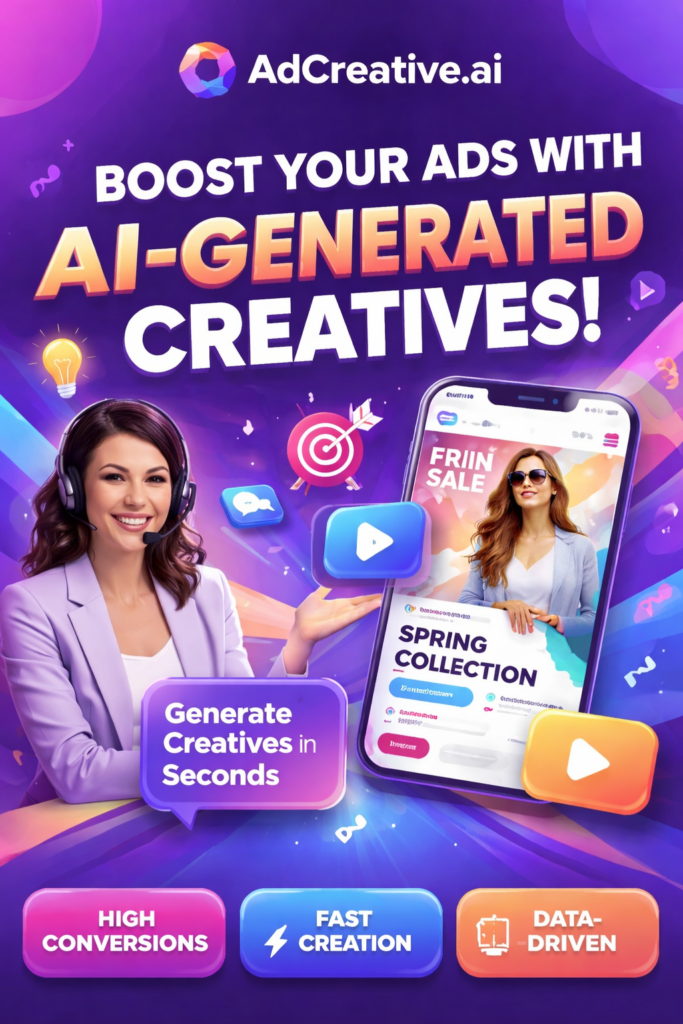
Before we dive deep into the features, let’s clarify what this tool actually does. AdCreative.ai is a cloud-based platform that uses artificial intelligence to generate hundreds of high-performing ad creatives in seconds.
Unlike traditional design tools like Canva or Photoshop, where you start with a blank canvas, AdCreative.ai is data-driven. It analyzes millions of successful ads to understand exactly which colors, fonts, and layouts drive the most sales.
When we started writing this AdCreative.ai review, we were skeptical. But after connecting our ad accounts, we realized this isn’t just a design tool; it is a conversion tool. It is designed for:
- E-commerce store owners who need hundreds of product ads.
- Marketing Agencies managing multiple clients.
- Startups with limited budgets for graphic designers.
7 Key Features We Discovered in Our AdCreative.ai Review
We pushed the platform to its limits to see what it could do. Here are the standout features that make this tool unique.

1. Artificial Intelligence Design Automation
The core promise of this platform is speed. During our AdCreative.ai review testing, we were able to generate over 100 unique banners in less than two minutes. You simply upload your logo, define your brand colors, and input a tailored headline. The AI does the rest. It doesn’t just randomly place elements; it positions them based on conversion data.
2. The Text Generator AI
Writing sales copy is hard. One of the pleasant surprises in this AdCreative.ai review was the built-in text generator. You don’t need to be a professional copywriter. You just type in your product name and target audience, and the AI suggests high-converting headlines and punchy descriptions tailored for Facebook, Instagram, or LinkedIn.
3. Creative Insights and Scoring
This is arguably the most valuable feature. Every image generated comes with a “Confidence Score” (from 1 to 100). The AI predicts how well that specific design will perform before you even spend a dollar on ads. In our AdCreative.ai review, we found that prioritizing creatives with a score of 90+ actually lowered our Cost Per Click (CPC).
4. Seamless Social Media Integration
We linked our Facebook Ad and Google Ad accounts directly to the platform. This allows the AI to learn from your actual data. It sees which of your past ads won and which lost, and it gets smarter over time.
5. Social Media Post Generator
It is not just about paid ads. We found during this AdCreative.ai review that you can also generate engagement-focused posts for Instagram Stories, Pinterest pins, and LinkedIn updates. This ensures your organic feed looks just as professional as your paid campaigns.
6. Competitor Analysis
Do you want to know what your competitors are doing? The platform lets you peek at top-performing ads in your niche. This insight alone can save you weeks of trial and error.
7. Unlimited Stock Images
You don’t need a separate subscription to Shutterstock or iStock. AdCreative.ai has a partnership with iStock, giving you access to millions of premium, royalty-free images directly inside the dashboard.
How to Use AdCreative.ai: A Step-by-Step Guide
To make this AdCreative.ai review practical, we want to walk you through the exact process we used to launch a campaign.
Step 1: Brand Setup
First, we uploaded our logo and selected our three main brand colors. The AI automatically suggested a secondary color palette that contrasts well for high visibility.
Step 2: Connect Accounts
We connected our Facebook Ad account. This step is optional, but we highly recommend it for better data accuracy.
Step 3: Generate Creatives
We chose “Square Format” (for Instagram Feed). We typed in a simple headline: “Boost Your Sales with AI.” We clicked “Generate.”
Step 4: Download and Publish
Within seconds, we had 100 variations. We sorted them by “Conversion Score” and downloaded the top 5. The entire process took less than 5 minutes.
AdCreative.ai Pricing: Is It Worth The Investment?
No AdCreative.ai review is complete without discussing the cost. The platform operates on a subscription model, and while it isn’t the cheapest tool on the market, the ROI (Return on Investment) is substantial.
- Startup Plans: Ideal for small businesses. You get a set number of credits per month.
- Professional Plans: Designed for agencies who need unlimited generations and multiple brands.
Is there a Free Trial?
Yes! We always recommend our readers start with the 7-day free trial. This gives you full access to the features we mentioned in this AdCreative.ai review without any risk. You can generate your first batch of ads, run them, and see the results before committing to a paid plan.
AdCreative.ai vs. Canva: Which is Better?
A common question we get is: “Why shouldn’t I just use Canva?”
We love Canva, and we use it for general graphic design. However, for paid advertising, there is a clear winner. In this AdCreative.ai review, the distinction became obvious:
- Canva focuses on aesthetics. It helps you make things look pretty. You have to manually drag and drop every element.
- AdCreative.ai focuses on conversion. It helps you make money. It builds the layout for you based on data.
If you are designing a birthday invitation, use Canva. If you are spending money on Facebook Ads and need to lower your Customer Acquisition Cost (CAC), AdCreative.ai is the superior choice.
The Pros and Cons
To keep this AdCreative.ai review honest and balanced, here is a breakdown of what we loved and what could be improved.
The Pros:
- Speed: It is genuinely the fastest way to create bulk ads.
- Data-Driven: The designs are based on science, not just opinion.
- Scalability: Perfect for testing 50 different angles at once.
- Interface: Very user-friendly and clean (Dark Mode is beautiful).
The Cons:
- Limited Customization: You cannot tweak every single pixel like you can in Photoshop.
- Credit System: You need to watch your credit usage if you are on a smaller plan.
Who Should Use This Tool?
After conducting this extensive AdCreative.ai review, we believe this tool is a “must-have” for specific groups of people:
- Marketing Agencies: You can serve 10x more clients without hiring more designers.
- Dropshippers: You need to test products fast. This tool lets you launch a new product campaign in minutes.
- Small Business Owners: If you cannot afford a $3,000/month graphic designer, this tool acts as your virtual design team.

Frequently Asked Questions (FAQ)
Is AdCreative.ai free?
It offers a 7-day free trial, which we highly recommend using to test the features mentioned in this AdCreative.ai review. After that, it is a paid subscription.
Does it work for Google Ads?
Yes, it generates Display banners in all standard sizes (Leaderboard, Skyscraper, etc.) optimized for the Google Display Network.
Can I edit the designs?
Yes, you can make minor text and image adjustments after the AI generates the initial concepts.
Is the generated content copyright-free?
Absolutely. You own the rights to all the creatives you generate using the platform.
Conclusion: Our Final Verdict
We started this journey asking if AI could replace a human designer for ad creatives. The answer we found in this AdCreative.ai review is: Yes, for performance marketing, it absolutely can.
While it won’t replace a creative director for a Super Bowl commercial, for the day-to-day battle of Facebook and Google Ads, AdCreative.ai is a weapon. It saves time, it reduces ad fatigue, and most importantly, it generates designs that actually convert into sales.
If you are serious about scaling your business and want to stop guessing what your ads should look like, we strongly suggest you give it a try.